

Dazzly | July - Articles Update, Featured Website and More
/ Newsletters / Dazzly | July - Articles Update, Featured Website and More
Welcome to the end of July newsletter.
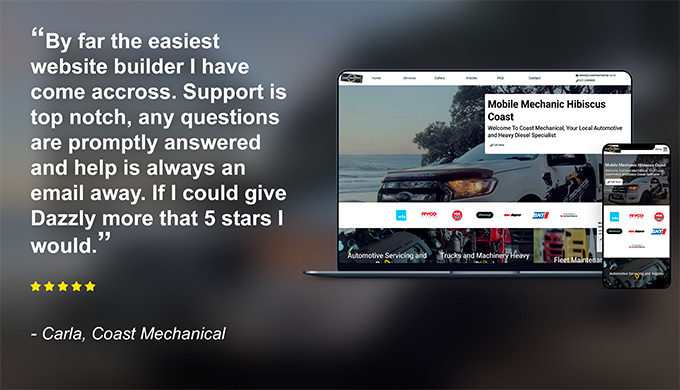
For July we're featuring Coast Mechanical, a great example of what content to write for each section on the website and nice use of local, high-quality photography. Be sure to check them out below.
We've also made an update to the Articles section, you can now set the Status of an article to change how it behaves - find out more further down.
For our Ecommerce websites, you can now issue refunds to your customers yourself via the Stripe dashboard.
Also, make sure to log in and re-publish your website to apply any background improvements made by Dazzly. Log in to your website now.
-
The team at Dazzly
Featured:
Featured Website: Coast Mechanical
Derek and Carla from Coast Mechanical built this nice-looking and high-performing website all by themselves! Great use of vehicle signage and the coastal background, it makes for a nice landing page photo. Nice work!
Check out their website here: www.coastmechanical.co.nz
Change the Status of Articles
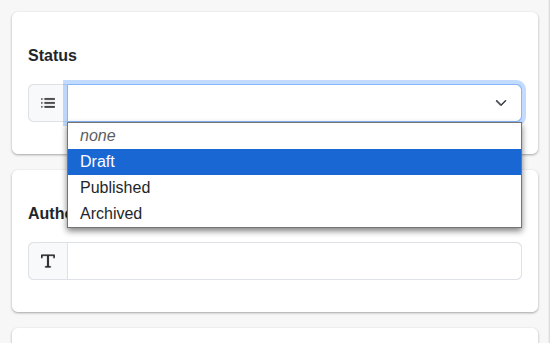
You can now change the Status of any new or existing Articles. Here is what each of the Statuses do:
- None - This is the default, the Article will be visible on the website after saving and publishing.
- Draft - The Article will not be visible on the website, even after saving and publishing. This is used for Articles that are in progress.
- Published - The Article will be live on the website after saving and publishing
- Archived - The Article will not be visible on the website, even after saving and publishing. This is used for Articles that are no longer used or outdated.
Ecommerce: You can now refund orders
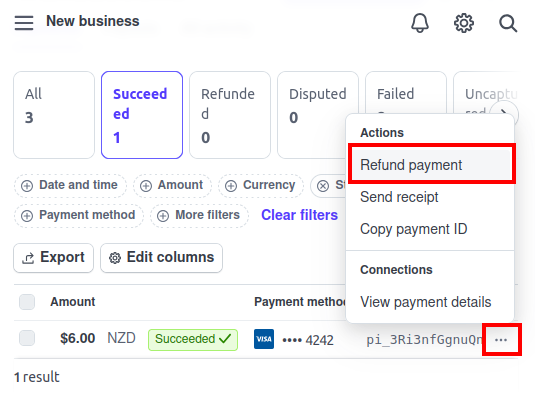
If you have an Ecommerce Order you wish to refund, you can now do this via the Stripe Dashboard link available within Dazzly. Find the transaction you wish to refund (use the Order Reference), and select Refund payment from the menu.
Updates:
Need to connect your domain? If you have an existing domain name with another provider, you can connect it to your Dazzly website. Check out our Guides section for detailed instructions depending on who your domain is with.
Update your website icon: Your website icon (Favicon) is important as it is what is shown in search engines and can drastically improve how your website is shown in the rankings.
Remember: The Titles and Descriptions under the Page Settings section are what is shown to people in Google and other search engines. Please double-check you have set these! It'll improve your rankings and the number of times you are shown in the search results.
Publish your website: We're always releasing updates and fixes to Dazzly, you should be publishing your website at least once a month to get the latest benefits.
Something not working? If you're having some trouble or encountering any issues using Dazzly, please reach out to support@dazzly.co for assistance.